
Best DomoAI Alternatives for AI Video & Realistic Motion (2026)
Compare the 4 best DomoAI alternatives for AI video generation and realistic dance motion. Find Discord-free, photorealistic tools that preserve the real person.
 Animaker Dev
DomoAI earned its reputation the honest way: a Discord-native workflow, affordable subscription plans, and fast stylized image-to-video.
This page covers four alternatives that solve the realistic-motion problem differently, with the trade-offs stated plainly.
What are the best DomoAI alternatives?
If you are searching for the best DomoAI alternatives that don't force you into Discord commands or distort your original character, here are the top picks in 2026:
- Animaker.dev — Best for photorealistic motion transfer directly in your web browser. Upload a photo and reference dance clip to get a photoreal video that keeps facial features intact. Pay-as-you-go pricing, zero watermark, and automatic failure refunds.
- Kling AI — Best for cinematic prompt direction and detailed physics simulation.
- Runway (Gen-3 Alpha) — Best for creators needing a comprehensive professional generative video studio.
- SoftOrbits Motion Transfer — Best for basic lightweight desktop photo animation.
Quick comparison
| Tool | Motion source | Keeps the real person? | Where it runs | Watermark? | Pricing |
|---|---|---|---|---|---|
| DomoAI | Generative, style-first | Partially (stylized) | Discord | No on paid | Subscription tiers + limited trial credits |
| Animaker.dev | Copied from your reference video | Yes | Browser | Zero watermark | Per-video, no subscription ($0.80/video) |
| Kling AI | Generative, motion control | Partially | Browser/app | Yes on free | Credits & subscriptions |
| Runway | Generative, camera+motion direction | Partially | Browser | Yes on free | Subscription/credits |
| SoftOrbits Motion Transfer | Copied from reference video | Yes (photo-led) | Online | Watermarked | Daily free credits + premium |
1. Animaker.dev — reference-video motion transfer, photoreal
The workflow: upload one photo and one short clip showing the move. The AI transfers that motion — dance steps, gestures, a turn — onto the person in the photo, preserving face and clothing. Because the motion comes from a real video rather than a prompt, the output tends to read as "a real video of a real person" rather than a generation. Make a photo dance with AI or use our free AI dance video generator presets.
Pricing is built for occasional use: first video free, one credit per video after that, failed renders refunded automatically, no watermark on downloads. Trade-off: you must find or shoot the reference clip (anything from a dance tutorial to your own phone footage works).
2. Kling AI — directed, cinematic motion
Kling's motion control gives you prompt-level direction over movement with strong physics. It is the better pick when the shot matters more than the identity — dramatic camera moves, stylized action. Identity drifts as the model generates, so verify faces frame by frame.
3. Runway — the professional's generative suite
You pay for the ecosystem (subscription tiers), and like all generative models it re-renders the subject rather than preserving your photo's identity.
4. SoftOrbits Motion Transfer — desktop, photo-led
SoftOrbits offers a photo + reference-video workflow online. If you prefer simple tools over AI-platform ecosystems, it is the closest structural match to reference-video transfer. Output quality is more modest than the cloud models.
The one-line decision
If the sentence "it has to look like the actual person doing the actual move" describes your job, you want reference-video transfer — that is what Animaker.dev does, and the first video is free to test the claim. If stylized is fine, DomoAI's reputation is deserved.
Related: Viggle AI dance alternatives and Freebeat alternatives. Full disclosure: Animaker.dev is our product, and this comparison names the cases where DomoAI, Kling, or Runway are the better choice.
Continue reading
Best Viggle Alternatives for Making AI Dance Videos (2026 Review)
What are the best Viggle alternatives for making dance videos? Compare 6 top Viggle AI dance alternatives that preserve the real person with custom motion, free trial, and no watermark.
Animaker Dev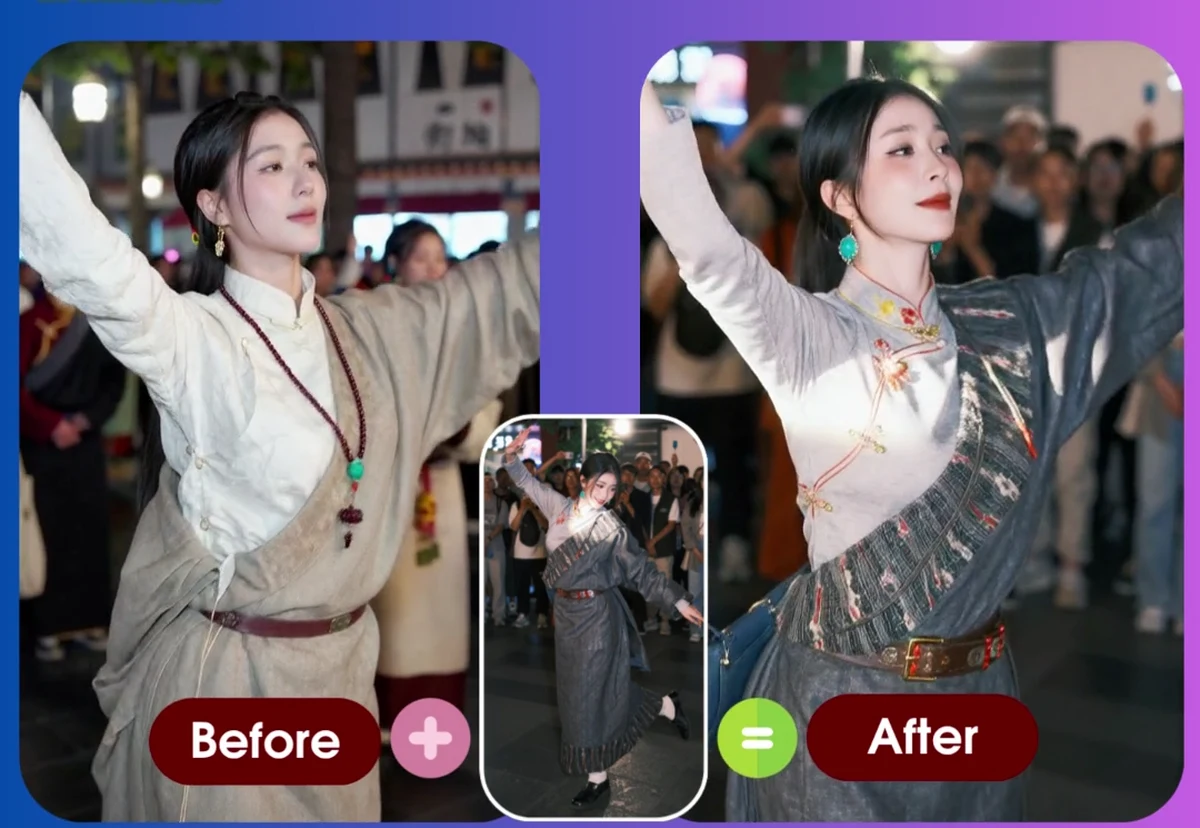
Best AI Dance Video Generators in 2026: 8 Tools Compared
A side-by-side comparison of the leading AI dance video generators — pricing model, free tier, watermark policy, reference-video support, and who each tool is actually for.
Animaker Dev Team
Freebeat Alternatives: 6 Ways to Make Dance Videos (2026)
Freebeat turns music into rhythm-synced dance videos. If that is not quite your workflow, here are six alternatives — from reference-video motion transfer to template libraries — and when each one wins.
Animaker Dev