
DomoAI Alternatives for Realistic Motion (2026)
DomoAI is the Reddit favorite for stylized image-to-video. When you need photoreal motion that keeps the real person — dance, gesture, full-body movement — these four alternatives do it differently.
 Animaker Dev
DomoAI earned its reputation the honest way: a Discord-native workflow, affordable subscription plans, and fast stylized image-to-video.
This page covers four alternatives that solve the realistic-motion problem differently, with the trade-offs stated plainly.
Quick comparison
| Tool | Motion source | Keeps the real person? | Where it runs | Pricing |
|---|---|---|---|---|
| DomoAI | Generative, style-first | Partially (stylized) | Discord | Subscription tiers + limited trial credits |
| Animaker.dev | Copied from your reference video | Yes | Browser | Per-video, no subscription |
| Kling AI | Generative, motion control | Partially | Browser/app | Credits |
| Runway | Generative, camera+motion direction | Partially | Browser | Subscription/credits |
| SoftOrbits Motion Transfer | Copied from reference video | Yes (photo-led) | Online | Daily free credits + premium |
1. Animaker.dev — reference-video motion transfer, photoreal
The workflow: upload one photo and one short clip showing the move. The AI transfers that motion — dance steps, gestures, a turn — onto the person in the photo, preserving face and clothing. Because the motion comes from a real video rather than a prompt, the output tends to read as "a real video of a real person" rather than a generation.
Pricing is built for occasional use: first video free, one credit per video after that, failed renders refunded automatically, no watermark on downloads. Trade-off: you must find or shoot the reference clip (anything from a dance tutorial to your own phone footage works).
2. Kling AI — directed, cinematic motion
Kling's motion control gives you prompt-level direction over movement with strong physics. It is the better pick when the shot matters more than the identity — dramatic camera moves, stylized action. Identity drifts as the model generates, so verify faces frame by frame.
3. Runway — the professional's generative suite
You pay for the ecosystem (subscription tiers), and like all generative models it re-renders the subject rather than preserving your photo's identity.
4. SoftOrbits Motion Transfer — desktop, photo-led
SoftOrbits offers a photo + reference-video workflow online. If you prefer simple tools over AI-platform ecosystems, it is the closest structural match to reference-video transfer. Output quality is more modest than the cloud models.
The one-line decision
If the sentence "it has to look like the actual person doing the actual move" describes your job, you want reference-video transfer — that is what Animaker.dev does, and the first video is free to test the claim. If stylized is fine, DomoAI's reputation is deserved.
Related: Viggle AI dance alternatives and Freebeat alternatives. Full disclosure: Animaker.dev is our product, and this comparison names the cases where DomoAI, Kling, or Runway are the better choice.
Continue reading
Viggle AI Dance: How It Works + 6 Best Alternatives (2026)
How Viggle AI Dance turns a photo into a dancing character — and six alternatives that keep the real person, with a free first video and no watermark.
Animaker Dev
Freebeat Alternatives: 6 Ways to Make Dance Videos (2026)
Freebeat turns music into rhythm-synced dance videos. If that is not quite your workflow, here are six alternatives — from reference-video motion transfer to template libraries — and when each one wins.
Animaker Dev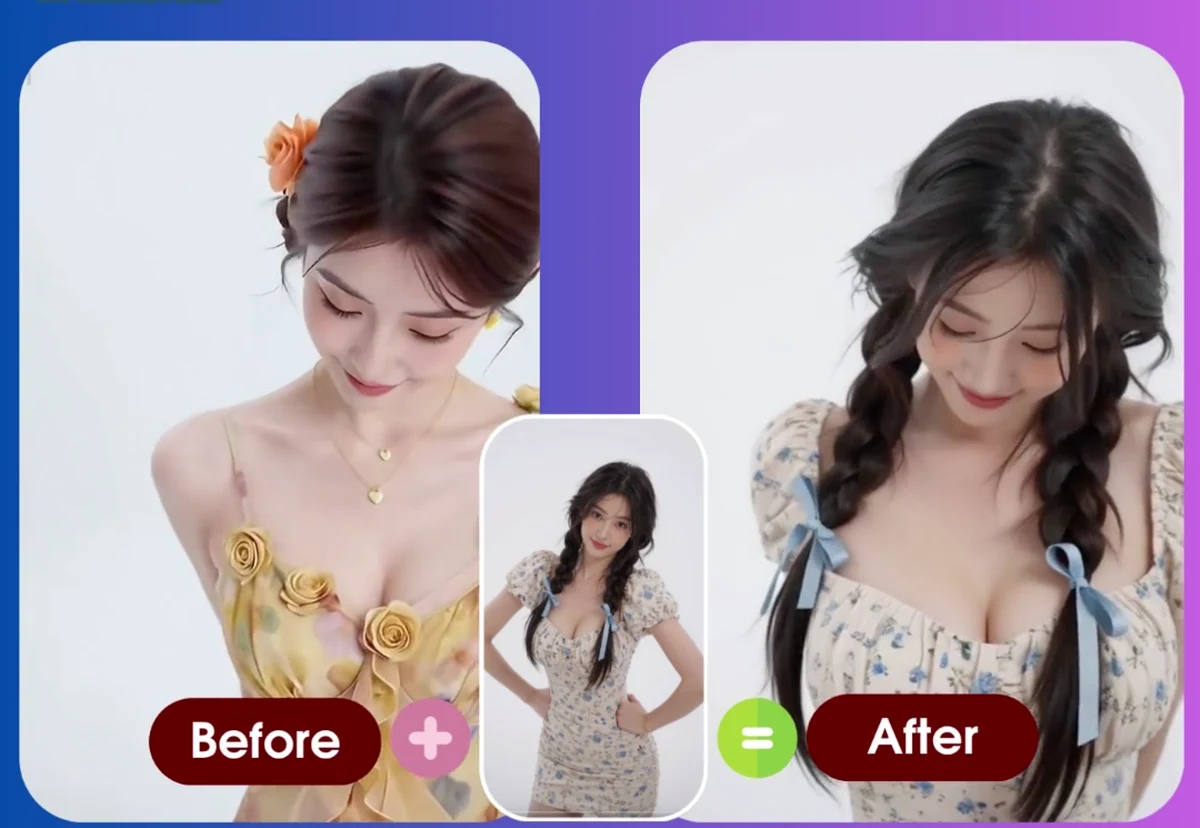
How to Make a Photo Dance with AI: Complete Guide (2026)
Turn any portrait into an AI dance video. Step-by-step tutorial with real examples (old photos, baby photos, pet photos), troubleshooting tips, and before/after results.
Animaker Dev Team