
Best AI Dance Video Generators in 2026: 8 Tools Compared
A side-by-side comparison of the leading AI dance video generators — pricing model, free tier, watermark policy, reference-video support, and who each tool is actually for.
 Animaker Dev Team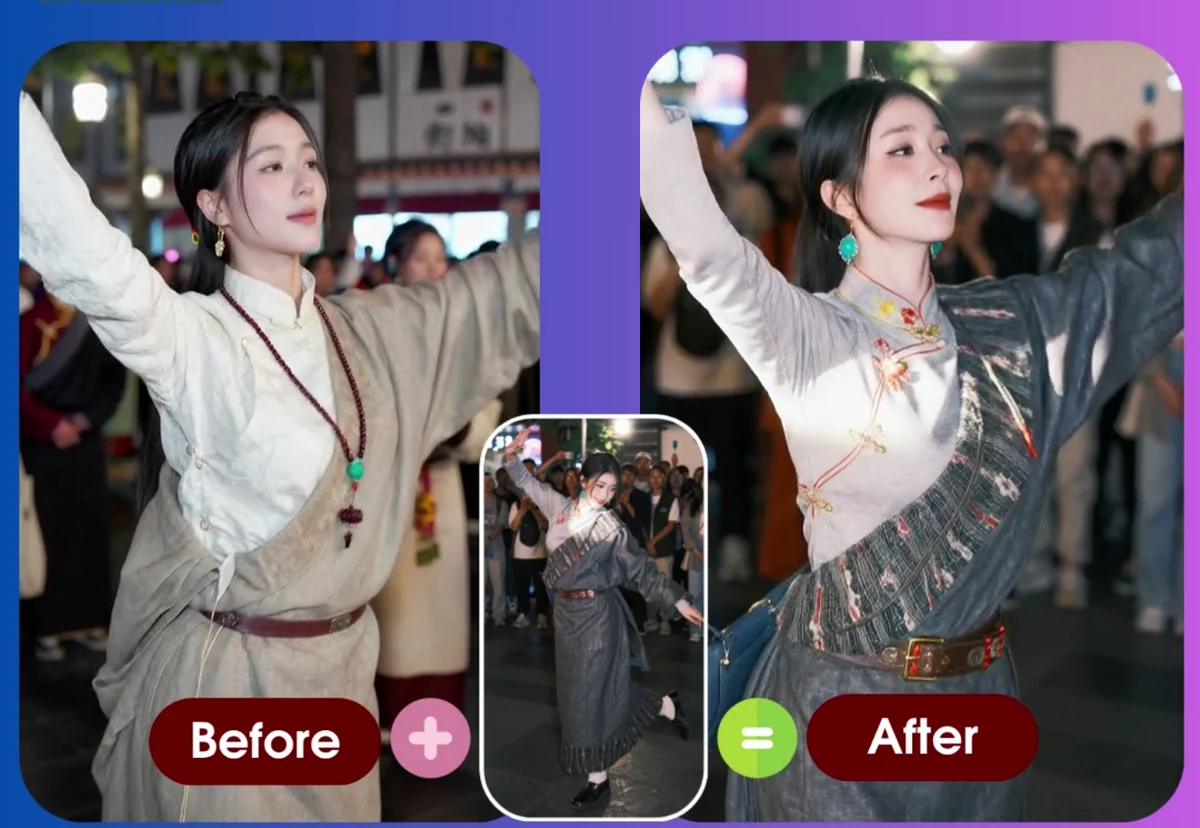
If you want to make a photo dance, there are now dozens of tools that claim to do it. They are not the same product. Some are template libraries; some are general image-to-video models; a few let you bring your own reference clip and reproduce its motion exactly.
This comparison focuses on the practical differences that decide whether a tool works for your project: how you pay, what the free tier actually gives you, whether a watermark is added, whether you can use your own reference video, and which workflow each tool is built around.
Pricing in this category changes often and varies by region and promotion. Numbers below reflect what each vendor publishes at the time of writing; where a vendor does not state something clearly, this article says so instead of guessing.
One note on scope: this page compares the category. If what you want is the fastest path from a photo to a finished clip, our own AI dance video generator is the reference-motion option in the table below — one free video, no subscription, no watermark.
Quick comparison
| Tool | Pricing model | Free tier | Watermark on free | Own reference video | Built around |
|---|---|---|---|---|---|
| Viggle | Subscription ($7.99–$63.99/month) | 5 videos/day, 1 at a time | Yes | Yes (1 min free, 10 min paid) | Templates + custom motion |
| Freebeat | Subscription (weekly/monthly credit plans) | Sign-up credits, reports vary | Yes (720p) | Yes | Music-video style dance |
| DancingAI | Subscription (~$9.90–$79.90/month) | Trial credits | Not clearly stated | Yes | Template dances |
| TwoShot | Subscription ($9.99–$19.99/month) + credit packs | Free credits, limited clips | Reportedly no | Yes | Music + dance |
| MangoAnimate | Freemium + subscription | Trial credits | Typically yes | Not clearly stated | Animation suite |
| Vidnoz | Freemium + subscription | Daily free allowance | Yes | Not clearly stated | All-in-one AI video |
| Remaker | Freemium credit packs | Limited free credits | Varies by tool | Yes (video tools) | Photo/video toolkit |
| Animaker | Pay per video (from $3.99 / 5 credits) | 1 free credit | No | Yes (60s / 50 MB) | Reference-motion replication |
Two structural facts matter more than any single feature:
- Subscription vs pay-per-video. Most tools in this category are subscriptions. If you make two videos a month, a $7.99–$15.99 monthly plan is an expensive way to buy them.
- Templates vs reference video. Template tools ask you to pick a dance from their library. Reference tools ask you to supply the clip. Templates are faster to start; a reference clip is the only way to reproduce a specific motion you already have.
The tools, in detail
Viggle
Viggle is the best-known name in the category, and its pricing is the clearest of the group. The free plan gives 5 videos per day, one generation at a time, with 7-day asset storage. Paid tiers start at $7.99/month (Pro, 80 credits, up to 4 concurrent generations, no watermark, 10-minute reference uploads) and scale to $63.99/month for 800 credits and 10 concurrent generations.
Its strengths are a very large motion-template library and a mature real-time swap mode. The trade-offs are that it is subscription-only, free output is watermarked, and free uploads are capped at 1 minute.
Best for: people who want trending dances from a library and will use the tool regularly enough to justify a monthly plan.
Freebeat
Freebeat leans into music-video output — dance generation combined with music and beat sync. It sells credit-based subscription tiers at weekly and monthly intervals.
Public sources disagree on its exact plans and credit amounts, and reviewers have noted that prices and credits appear inconsistently across its own pages. The consistently reported detail is that free output is watermarked and capped around 720p.
Best for: creators producing music-led social clips rather than one-off motion transfers.
DancingAI
DancingAI offers template dances with plans reported around $9.90, $29.90 and $79.90 per month. It includes some trial credits so you can test before paying.
Whether the free tier adds a watermark is not clearly documented, so treat that as unverified. Plan credits are consumed according to duration and model settings, and purchases are generally non-refundable.
Best for: template-first users who want a dedicated dance app rather than a general video tool.
TwoShot
TwoShot is the most generous of the subscription tools on paper: free credits on signup, and sources report no watermark and no resolution cap, with the limitation being daily generation volume and no commercial rights on the free tier. Paid plans run about $9.99–$19.99/month, and credit packs start around $15.
Best for: testing the workflow before committing, especially if watermark-free output matters to you early.
MangoAnimate, Vidnoz, Remaker
These are broader suites that added dance generation rather than dance-first products.
- MangoAnimate is an animation toolset with a freemium entry point.
- Vidnoz bundles dance generation into a large collection of AI video utilities with a daily free allowance.
- Remaker is a photo/video toolkit selling credit packs, where the dance feature is one of many.
They are reasonable choices if you already use the suite for other tasks. As dedicated dance tools they are less focused, and free output is typically watermarked.
Animaker (pay-per-video)
Animaker takes the opposite commercial approach to the rest of this list: no subscription at all. You buy credits and spend one per finished video.
- Price: $3.99 for 5 credits ($0.80 per video) at the entry tier, down to about $0.30 per video on the 100-credit pack ($29.90). Credits are valid for 90 days.
- Free tier: 1 free credit on signup, no card required.
- Watermark: none.
- Reference video: up to 60 seconds and 50 MB, MP4 or MOV.
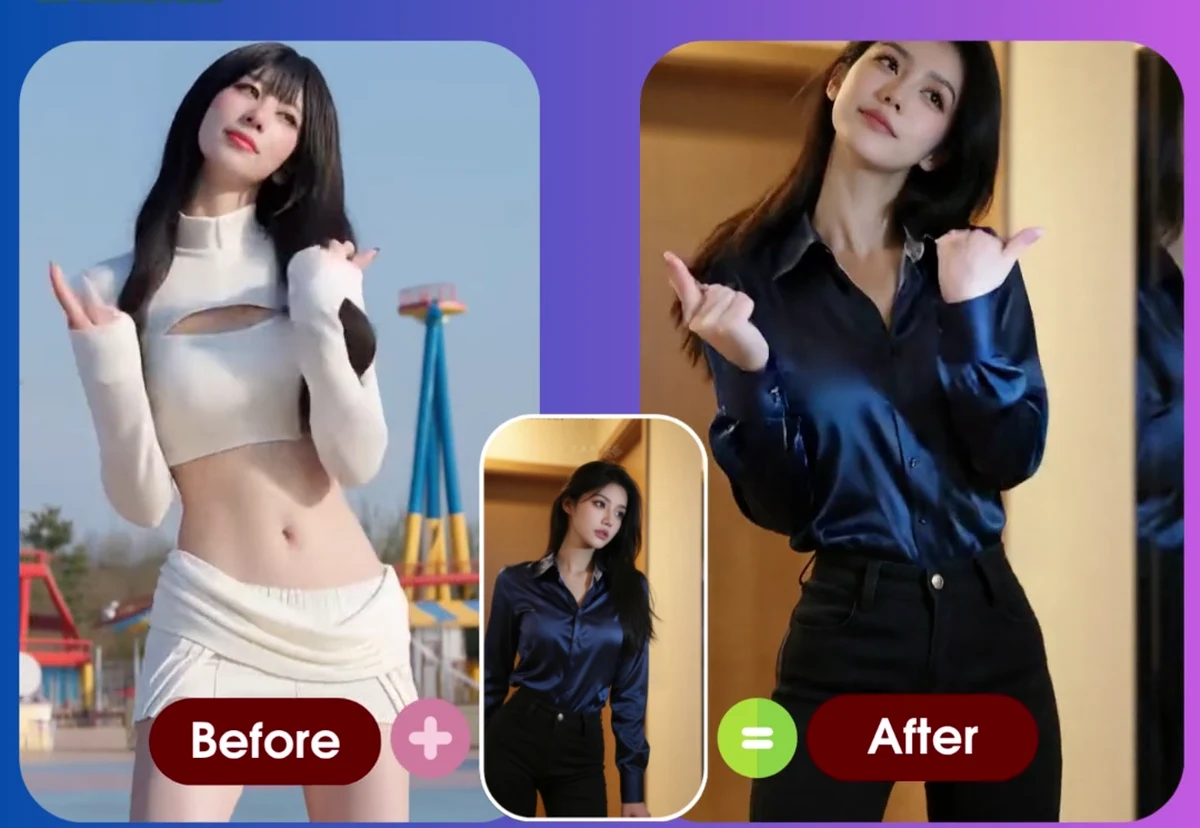
- Two modes: motion transfer (keep your photo's subject, copy the reference motion) and character replacement (keep the reference scene, use your photo's subject).
- Failed generations: credits are refunded automatically.
- Output: HD, up to 720p on the long edge; typical turnaround 10–15 minutes.
The trade-off is honest: Animaker has no template library and no mobile app. You bring a photo and a reference clip. If you do not have a clip in mind, a template-first tool is faster to a first result.
Best for: people who want a specific motion reproduced, who make videos occasionally rather than monthly, and who would rather pay per video than hold a subscription.
How to choose
Work backwards from the clip you want to end up with.
- "I want the trending dance everyone is posting." Use a template tool: Viggle, DancingAI or TwoShot.
- "I want this specific video's movement on my photo." Use a reference-video tool: Animaker, or Viggle/TwoShot with a custom upload.
- "I want to try it once." Start with free tiers (Viggle's 5/day, TwoShot's sign-up credits, Animaker's 1 credit) before paying anything.
- "I make one or two videos a month." Pay-per-video is almost always cheaper than a subscription. At $0.30–$0.50 per video, ten videos cost $3–5 in total rather than $96–192 a year.
- "I need it in my app or pipeline." Check for an API before you commit — most consumer tools in this list do not offer one.
FAQ
Is there a free AI dance video generator with no watermark?
Free tiers that include a watermark are the norm; Viggle and Freebeat both watermark free output. TwoShot is reported to be watermark-free on its free tier, and Animaker does not add a watermark to the videos generated with its trial credits.
Which tool gives the most videos for the money?
On a per-video basis, pay-per-video pricing is the cheapest at small volumes — Animaker's 100-credit pack works out to roughly $0.30 per video. Subscription tools generally win only at high monthly volume.
Can these tools make old family photos move?
Yes, and this is one of the most common uses of motion transfer: uploading a scanned photograph and a short reference clip so the person in the photo appears to move. Success depends on the photo having a clearly visible face and the reference clip showing one person with a stable camera.
What limits the quality of the result?
Three things, in order: the reference clip (single subject, stable camera, no fast cuts), the photo (sharp, front-facing, hands not holding objects), and the upload limits of the tool you choose (resolution and clip length).
What is the difference between motion transfer and face swap?
Motion transfer keeps the person from your photo and copies the movement from a reference video onto them. Character replacement keeps the scene from the reference video and puts your photo subject into it. Both are creative editing workflows for content you have the rights to use.
What is the best AI dance video generator?
It depends on how you want to work. Template-first tools such as Viggle and DancingAI are fastest when you just want a trending dance applied to a photo. Reference-video tools such as Animaker are better when you already have a specific clip whose motion you want to reproduce. If you only need a few videos and do not want a subscription, pay-per-video tools are the cheapest option.
Are AI dance video generators free?
Most offer a limited free tier. Viggle gives 5 free videos per day with a watermark; several others hand out sign-up credits. Free tiers almost always cap resolution, add a watermark, or limit daily generations — you generally need a paid plan to remove limits.
Can I upload my own reference video instead of picking a template?
Yes — most modern tools accept a custom reference clip. Viggle, Freebeat, TwoShot, DancingAI and Animaker all support uploading your own video. The practical differences are the upload limits (Viggle caps free uploads at 1 minute, paid at 10 minutes; Animaker accepts up to 60 seconds and 50 MB) and how the motion is applied.
Do I need a subscription to make dance videos with AI?
Not necessarily. Viggle, Freebeat, DancingAI and TwoShot are subscription products, though some sell one-off credit packs. Animaker is pay-per-video only — credits start at about $0.30 per video and never renew automatically.
Bottom line
There is no single best AI dance video generator. There is the right pricing model and the right workflow for what you are making.
If you want templates and will generate often, a subscription tool like Viggle is the natural fit. If you want a specific motion reproduced on your own photo, do not want a subscription, and would rather pay per video, Animaker starts with 1 free credit and a $3.99 five-credit pack.
관련 글
How to Recreate Any Video’s Motion with Your Own Photo (2026)
Turn a photo into a video that performs the exact motion from any reference clip. Two approaches, what inputs actually work, and the failure modes to avoid.
Animaker Dev Team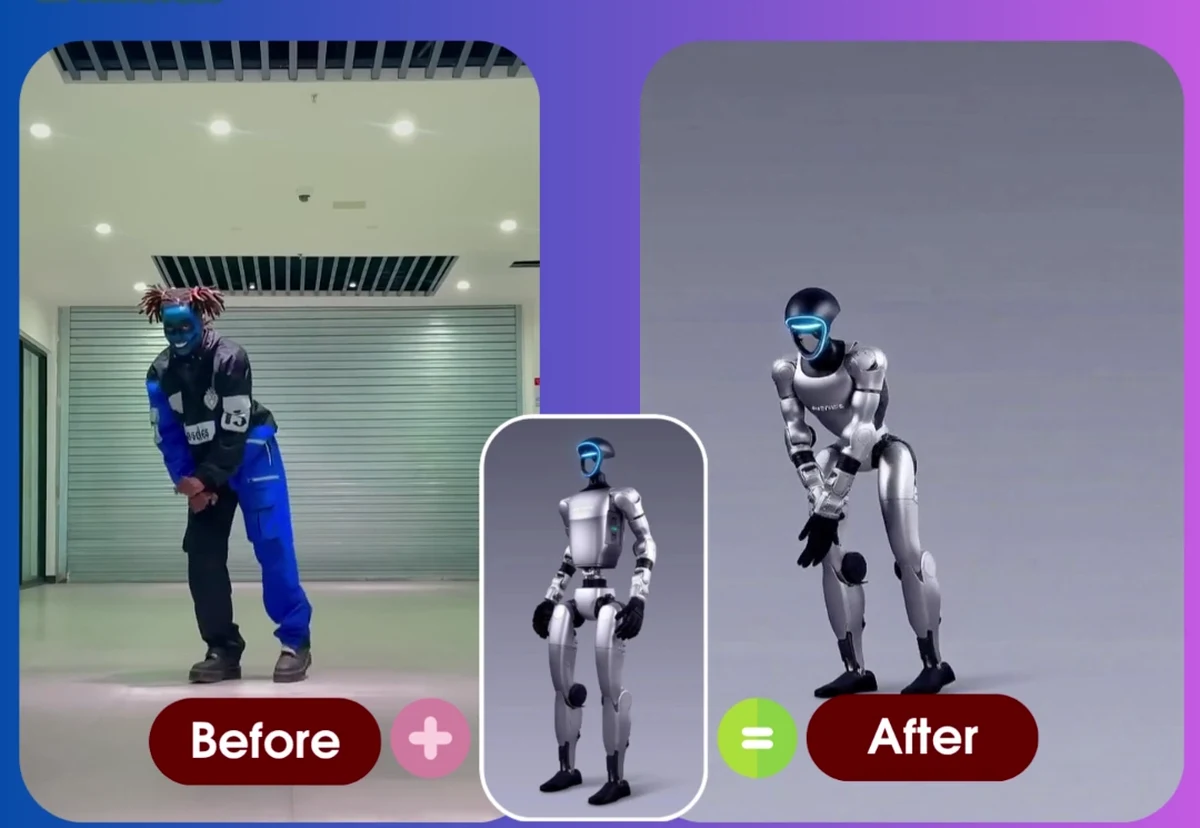
Motion Transfer vs Character Replacement vs Template Libraries: Three Ways to Animate a Photo
A plain-language comparison of the three approaches to animating a photo with AI — what each one keeps, what it needs from you, and how to choose between them.
Animaker Dev Team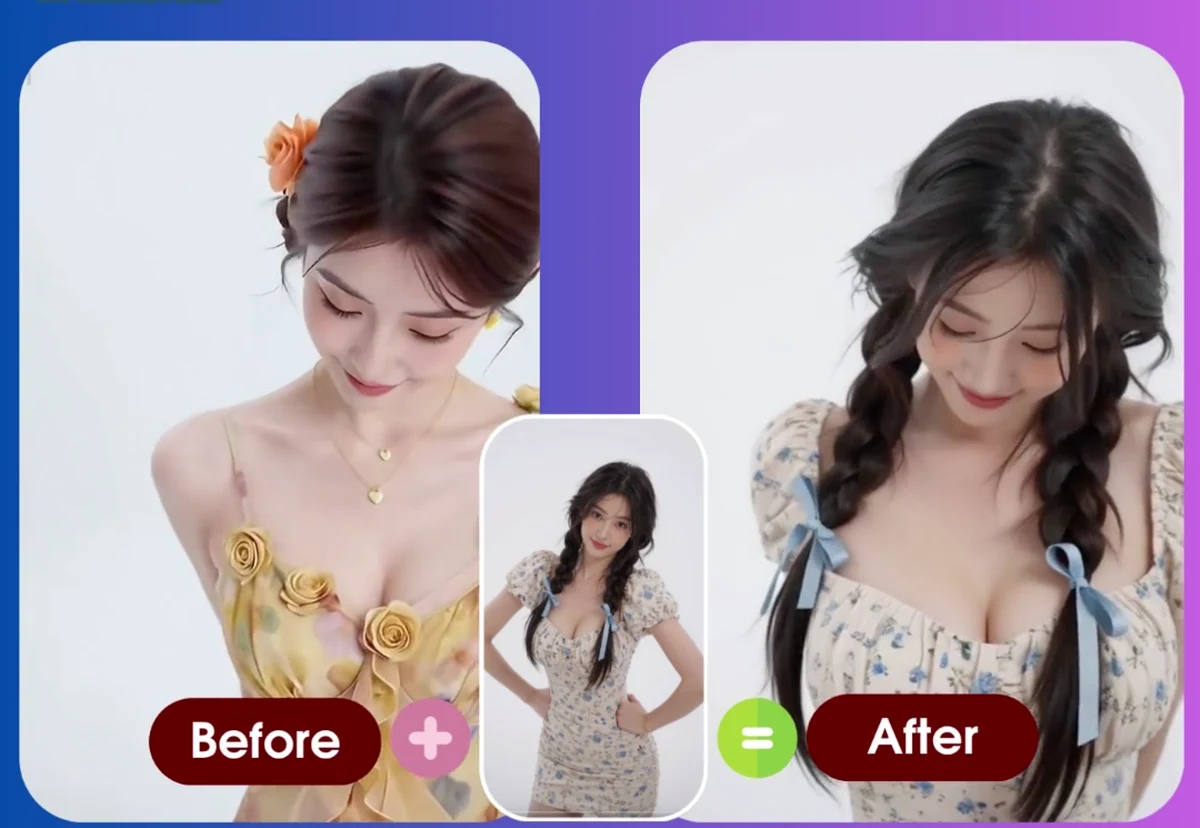
How to Make a Photo Dance with AI: Complete Guide (2026)
Turn any portrait into an AI dance video. Step-by-step tutorial with real examples (old photos, baby photos, pet photos), troubleshooting tips, and before/after results.
Animaker Dev Team